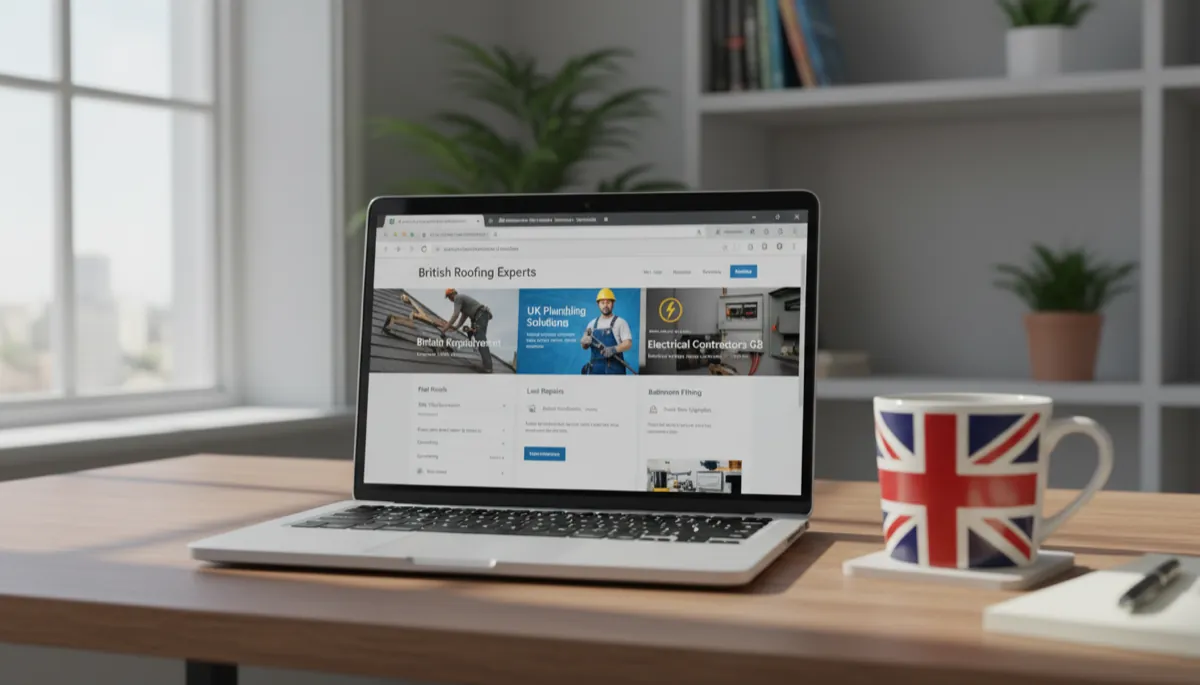
A tradesman website that generates real work needs specific things — not fancy animations or a flashy logo. Customers visiting a trade website are trying to answer four questions fast: can you do the job, do you cover their area, are you qualified, and how do they contact you? Every element on your site should help answer one of those four questions.
This checklist covers every element a UK trade website needs, split into must-haves and extras worth adding once the basics are right.
Key Takeaways
- Phone number and service area must be visible within the first five seconds on mobile — this is where most trade website searches happen
- According to BrightLocal’s 2024 Local Consumer Review Survey, 98% of UK consumers used the internet to find local business information in the past year
- Trade credentials (NICEIC, Gas Safe, FMB) displayed on the homepage increase trust and reduce hesitation before calling
- Google reviews embedded on the homepage have a measurable impact on contact rates — more than almost any other single change
- A complete, properly structured trade website from a managed provider costs from £49/month with no setup fee — Digital Tradies builds and maintains them for UK tradespeople
The Non-Negotiables (Get These Right First)
These are the items that, if missing, will cost you leads regardless of how good the rest of your site is.
1. Your Phone Number — Visible Without Scrolling
Your phone number needs to be in the header, large, and a tap-to-call link on mobile. Not on the contact page. Not in the footer. In the header, where it can’t be missed.
According to Google’s research on local search behaviour, 60% of smartphone users contact businesses directly from search results. Most trade searches happen on phones, often in urgent situations. If a customer has to hunt for your number, some of them will go back to Google and call someone whose number is immediately visible.
2. Your Service Area — Named Specifically
Customers want to know if you cover their area before they do anything else. “Covering the North West” doesn’t tell them much. “Based in Bolton, covering Bolton, Wigan, Leigh, and Horwich” does.
Being specific about your service area also helps with local Google rankings. A plumber in Derby who mentions Derby, Long Eaton, Belper, and Ilkeston on their homepage has a better chance of showing in local searches across that area than one whose site just says “Derbyshire.”
Your service area should appear in:
- The hero section (first thing customers see)
- The footer
- Your contact page
For trade-specific guidance, see our guides on web design for electricians and web design for plumbers.
3. Your Trade Credentials
Every trade has a certification scheme that customers recognise as a mark of quality:
| Trade | Credential to display |
|---|---|
| Electrician | NICEIC, NAPIT, or ELECSA registration number |
| Gas/heating engineer | Gas Safe Register number |
| Builder | Federation of Master Builders (FMB) membership |
| Roofer | National Federation of Roofing Contractors (NFRC) |
| Plumber | CIPHE membership or Water Regulations Advisory Scheme |
| Carpenter/joiner | City & Guilds or NVQ Level 3 qualification |
Put the badge in your header or directly below the hero section. Customers booking higher-value work — a rewire, a loft conversion, a new boiler — specifically look for these before calling. A homeowner whose insurance requires a Gas Safe registered engineer will check your registration number before they ring.
4. A Clear Call to Action
Every page on your site should have a clear next step for the customer. That means:
- A “Call Now” or “Get a Quote” button that’s visible on every page
- A simple contact form with name, phone number, and a message box
- WhatsApp contact option (many customers prefer messaging to calling cold)
Keep the form short. Three fields — name, number, and a message — is plenty. Long forms reduce completions.
5. Google Reviews on the Homepage
Don’t put reviews on a separate testimonials page where customers have to go looking. Embed them on the homepage.
According to BrightLocal’s 2024 survey, 49% of consumers trust online reviews as much as personal recommendations from friends and family. A plumber with 47 Google reviews at 4.8 stars has a significant conversion advantage over one with no reviews visible.
If you don’t have many reviews yet, ask every satisfied customer. A short WhatsApp message after finishing a job — “Would you mind leaving us a quick Google review? Here’s the link” — is the fastest way to build them up. Digital Tradies’ Pro plan includes a review request automation system that sends this message automatically. For a full strategy, read our guide on how to get more Google reviews as a tradesman.
Pages Your Site Should Have
Most trade websites don’t need more than five pages. More pages than that is fine, but five done well beats twenty done poorly.
Homepage
Your homepage does the most work. It needs to:
- State clearly what you do and where you cover (above the fold)
- Show your credentials and accreditations
- Display reviews
- Have a visible phone number and contact form
Services Page
A single page listing all your services, with a paragraph or two about each one. Include prices where possible — even a “from £X” range helps, because customers without a ballpark often don’t enquire. Jobs where customers want to research online before calling (consumer unit replacements, full rewires, boiler replacements) deserve their own dedicated sub-pages.
About Page
Customers want to know who they’re letting into their home. A short About page with a photo of you (or your team), how long you’ve been trading, your qualifications, and the area you cover builds trust and makes you feel like a real business rather than a faceless company.
Contact Page
A contact page with your full address (or service area if you don’t work from a premises), phone number, email, and a contact form. If you have a Google Business Profile, embed the map here.
Gallery / Previous Work
Photos of finished jobs are powerful. They let customers see the quality of your work before they call. Smartphone photos taken on-site are fine — you don’t need a professional photographer. A roofing company with 30 photos of finished roofs on their site creates significantly more confidence than one with no photos at all.
Trust Signals to Include Across the Site
Beyond credentials, these elements build trust with customers who are on the fence:
| Trust signal | Where to put it |
|---|---|
| Years in business | Header or hero (“15 years serving Leeds”) |
| Number of jobs completed | Homepage stats section |
| Trade association logos | Header, footer, and about page |
| Insurance confirmation | About or contact page |
| Guarantee or warranty | Services page and homepage |
| Photo of you or your team | About page and homepage |
Technical Checklist
A site can look good and still fail on the basics:
- Mobile-friendly — over 60% of trade website visits come from smartphones. Your site must work on a phone screen without zooming or horizontal scrolling
- Fast loading — Google’s PageSpeed Insights shows that every additional second of load time reduces conversions. Avoid large uncompressed image files
- SSL certificate — your site should load over HTTPS (the padlock in the browser). Most hosting providers include this free, but some older sites still lack it. Customers notice
- Clickable phone number — the number in your header should be a
tel:link so tapping it dials immediately on mobile - Sitemap submitted to Google — helps Google discover and index all your pages faster
What You Can Add Later
Once the essentials are right, these extras increase visibility and conversion:
- FAQs — answers to common customer questions reduce pre-enquiry friction and help with Google rankings (“how much does a boiler service cost in [town]”)
- Blog posts — trade-specific articles targeting what customers search for drive organic traffic. “Signs your roof needs replacing” or “how often should you service your boiler” are examples
- Google Business Profile link — a link from your site to your GBP (and vice versa) strengthens both
- Live chat or chatbot — captures leads outside business hours without you having to respond immediately
- Before and after photo galleries — particularly effective for trades where the visual transformation is dramatic (plastering, painting, tiling, kitchen fitting)
Do You Need to Build This Yourself?
Not necessarily. A custom trade website built by a local web designer typically costs £500–£2,000 up front, plus hosting and maintenance on top. That’s reasonable for a well-built site, but you’re responsible for updating it and paying someone to make changes.
Managed services like Digital Tradies start from £49/month with no upfront cost. You get a professional 5-page website, hosting, SSL, basic SEO setup, and ongoing support included. Changes to your site are handled for you. For most tradespeople who’d rather spend their time on the tools than managing a website, this works out cheaper and simpler than paying upfront and maintaining it yourself.
The checklist above applies regardless of how your site is built — use it to evaluate what you have, identify what’s missing, or as a brief when you’re commissioning someone to build it.
Frequently Asked Questions
How many pages does a tradesman website need? Five well-built pages is enough for most tradespeople: homepage, services, about, gallery, and contact. You can add more over time (dedicated service pages, blog posts, FAQ pages), but five done properly will outperform fifteen done poorly.
Should I include prices on my website? Where possible, yes. Even a rough “from £X” range helps customers self-qualify. Tradespeople who show price ranges tend to get more enquiries, not fewer — customers who aren’t put off by the range are more serious when they do call.
How do I get Google reviews on my website? You can embed a Google Reviews widget using a tool like Elfsight or Widget for Google Reviews. These pull in your reviews from Google automatically and display them on your site. The free tiers of these tools are usually enough for a basic setup.
Do I need a separate mobile website? No. A modern website should be responsive — it adjusts automatically for any screen size. If a web designer or builder is offering you a separate “mobile site,” that’s outdated practice. Your site should work on every device from one codebase.
What’s the most important thing to fix if my website isn’t generating calls? Start with your phone number and service area. If either isn’t immediately visible on mobile without scrolling, fix that first. Then check whether your Google reviews appear on the homepage. These two changes alone — visible contact and social proof — account for a large share of the gap between trade websites that generate leads and those that don’t.