Most locksmiths get work through word of mouth, Google Ads, and lead platforms. That works until a competitor figures out local SEO and starts showing up every time someone searches “locksmith near me” — without paying per click. This guide covers what to actually do to rank well in your area.
SEO for locksmiths means making your business appear at the top of Google when people nearby need a lock changed, access to their car, or they’re locked out at midnight. Those searches happen constantly, and the locksmith who shows up first gets the call. This guide is practical and ordered by impact — start at the top.
Key Takeaways
- Your Google Business Profile controls your map pack ranking — it’s free and it’s the highest-impact thing you can set up
- Emergency locksmith searches have the highest conversion rates of any trade search — people searching “locksmith near me” at 11pm need someone immediately, not next week
- Google has a history of restricting locksmith listings due to spam — verify your profile correctly or risk removal
- Master Locksmiths Association (MLA) membership and directory listing sends both trust signals and direct leads
- A website with separate pages for each service (car lockout, lock change, UPVC, commercial) consistently outranks general “locksmith” pages
- Reviews with job-specific mentions (“locked out of UPVC front door”) rank better in local results than generic five-stars
What Are the Most Valuable Locksmith Searches?
Not all searches are equal. Some people are browsing prices; others need someone in the next 30 minutes.
| Search type | Examples | Value |
|---|---|---|
| Emergency residential | ”locked out of house [town]”, “locksmith near me now”, “emergency locksmith [town]“ | Highest — immediate callout |
| Car lockout | ”car locksmith [town]”, “locked out of car [area]”, “auto locksmith near me” | High — urgent, good margins |
| Lock change/upgrade | ”lock change [town]”, “replace door lock”, “upgrade locks after break-in [area]“ | High — often same-day |
| UPVC / composite | ”UPVC door lock repair [town]”, “composite door locked out” | High — specialist job |
| Commercial | ”commercial locksmith [town]”, “office locksmith”, “lock change business premises” | Medium-high — bigger jobs |
| Research | ”how much does a locksmith cost”, “locksmith prices UK” | Lower — early stage |
Emergency and car lockout searches convert at the highest rate by far. Someone typing “locked out of house Leeds at night” is not comparing prices — they want a locksmith in the next hour. According to Google, 76% of people who search for something nearby on their smartphone visit a related business within a day — for locksmiths, they call within minutes.
Step 1: Set Up Your Google Business Profile
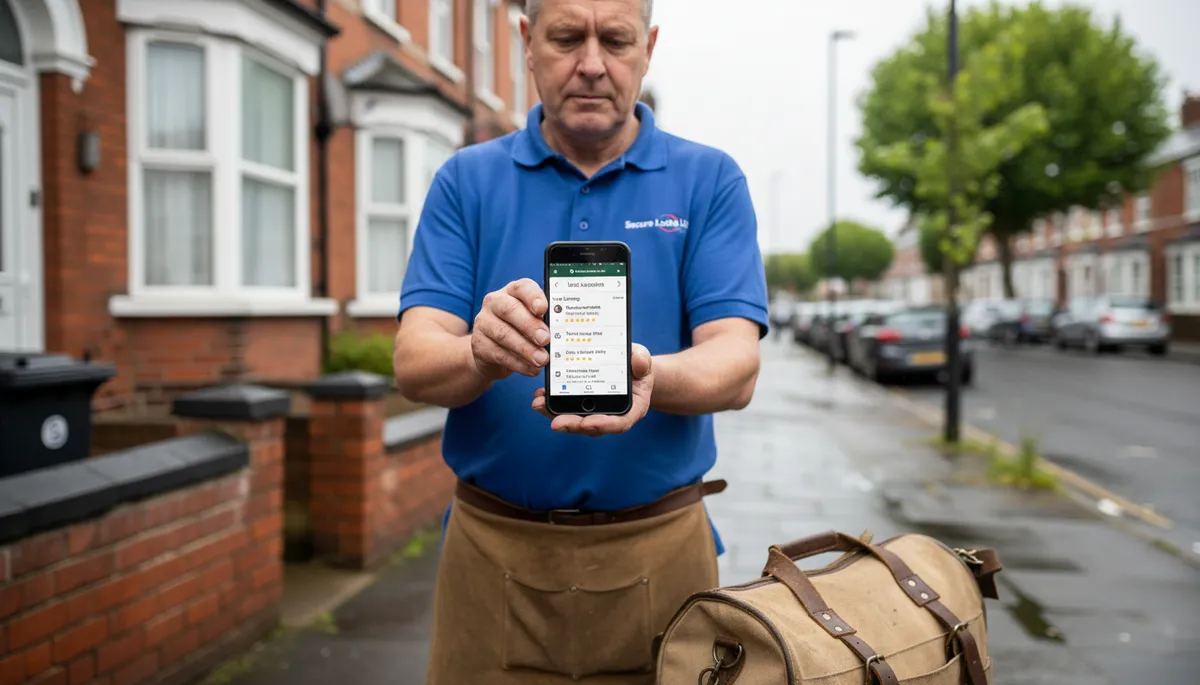
Your Google Business Profile (GBP) is what appears in the map pack — the three listings shown under the map when someone searches for a locksmith near them. It’s free and it drives more calls than almost anything else. According to research by Moz, the map pack receives around 44% of all clicks for local search queries, making it the most valuable piece of real estate on the page for local tradespeople.
What to do:
- Claim your profile at business.google.com
- Set your primary category as Locksmith
- Add secondary categories: Emergency Locksmith Service, Auto Locksmith, Commercial Locksmith (add whichever apply to your work)
- Set a service area covering your coverage radius — include towns, postcodes, and any villages you cover
- Add 10+ photos: jobs you’ve completed, lock types you work with, your van with your name on it, before/after lock upgrades
- Write a description that mentions your qualifications, the services you cover, and your response times
A critical note on locksmith GBP: Google has flagged locksmith listings for spam more aggressively than almost any other trade category. Fraudulent locksmiths created thousands of fake GBP listings over the years, which led Google to apply stricter verification. If your profile gets suspended, respond to the suspension notice promptly with proof of your business (trade insurance, MLA membership, photos of your van). Don’t try to create a second listing — it will make things worse.
According to Google’s own data, businesses with complete and optimised profiles are 2.7 times more likely to be considered reputable by customers. Most locksmiths leave theirs half-finished.
Step 2: Build Reviews Strategically
Reviews are one of the biggest local ranking factors. For locksmiths specifically, the wording of your reviews matters as much as the star rating.
A review that says “Fast, professional service — locked out of my UPVC front door at 10pm, arrived in 25 minutes” does more for you than “5 stars, great service.” The specific words trigger Google’s matching between customer searches and your listing.
How to get more locksmith reviews:
- Text customers a direct link to your Google review page within an hour of finishing the job — response rates are highest when the experience is fresh
- Ask customers to mention the type of job (car lockout, lock change, emergency callout) in their review
- Aim for 30+ reviews before you worry about anything else — according to BrightLocal’s 2025 Local Consumer Review Survey, 86% of consumers read reviews for local businesses before choosing a trade
- Respond to every review, including negative ones — your response is visible to future customers and shows you take service seriously
Don’t buy reviews or use review-gating tools that only send links to happy customers. Google’s systems detect these patterns and can result in review removal or profile suspension.
Step 3: List Your Business in the Right Directories
Directory listings (also called citations) do two things: they tell Google your business is real and consistent, and they send you direct leads from people browsing those directories.
Essential UK locksmith directories:
| Directory | Why It Matters |
|---|---|
| MLA Find a Locksmith (locksmiths.co.uk) | Master Locksmiths Association directory — customers actively search here for vetted locksmiths |
| Which? Trusted Traders | High-authority consumer trust platform, strong brand recognition |
| Checkatrade | High traffic for emergency trades — expensive but generates volume |
| Rated People | Similar to Checkatrade, lead-matching model |
| Yell.com | DA 78, dofollow link, mainstream consumers still check it |
| Google Business Profile | Already covered — non-negotiable |
| Bing Places | Imports from GBP, powers DuckDuckGo and Bing results |
| Apple Business Connect | Shows on Apple Maps, Siri, Spotlight — every iPhone user |
The MLA directory is the highest-value locksmith-specific listing. Membership costs money but MLA approval signals genuine qualifications to both Google and potential customers. Many customers specifically search for MLA-approved locksmiths when they want security work done properly, particularly for lock upgrades after a break-in.
Keep your business name, phone number, and website identical across every directory. Even small inconsistencies (“Mobile Locksmith Ltd” vs “Mobile Locksmith Limited”) confuse Google and dilute your citation value.
Step 4: Build a Website With Service-Specific Pages
A website with one page that says “locksmith services” is much harder to rank than a website with separate pages for each service. Google wants to show the most relevant result for a specific search — a dedicated “car lockout [town]” page is far more relevant than a generic locksmith homepage.
Minimum pages your locksmith website should have:
| Page | Target keyword |
|---|---|
| Homepage | Locksmith [your town] |
| Locked out of house | House lockout [town] |
| Car lockout | Auto locksmith [town] / car lockout [town] |
| Lock change | Lock change [town] |
| UPVC door repair | UPVC door lock repair [town] |
| Commercial locksmith | Commercial locksmith [town] |
| Emergency locksmith | Emergency locksmith [town] / 24 hour locksmith [town] |
Each page should mention the service clearly, include your area, and have your phone number prominently placed. Locksmiths get a large portion of calls from mobile devices — people in distress tapping through Google and calling the first number they find. If your number isn’t on every page, you lose those calls.
Your website should also load fast on mobile. According to Google’s own PageSpeed data, 53% of mobile users abandon a page that takes longer than 3 seconds to load — for emergency locksmith searches, a slow website costs real money.
Step 5: Target Emergency Keywords With Dedicated Content
Emergency searches are where the money is for locksmiths. Most competitors have a generic homepage; very few have dedicated content targeting the specific emergency scenarios people search for.
Consider creating pages or blog posts for:
- “Locked out of house at night” — people search this exact phrase, especially on weekends
- “Locked out of car” — high volume, often searched on mobile in a car park
- “Locked out of flat” — different from a house lockout, includes landlord, letting agent angles
- “Lost house keys” — someone who’s lost keys is more likely to want a lock change, not just entry
- “Break-in lock replacement” — post-burglary searches have strong emotional urgency
These pages don’t need to be long. 400–600 words of genuinely useful advice, your phone number, and a clear service area is enough. The key is matching the exact phrase someone uses in a crisis.
Step 6: Keep NAP Consistent Everywhere
NAP stands for Name, Address, Phone — the three pieces of information Google cross-references across the internet to verify your business is real and where you say it is.
Every time your business name, phone number, or website URL appears differently across directories, it creates a conflicting signal that weakens your local rankings. Decide on the exact format for each and use it consistently:
- Name: “Smith Locksmiths” or “Smith Locksmiths Ltd” — pick one, never vary it
- Phone: Always use the same mobile or landline, including area code
- Website: Always https://yourdomain.co.uk — never http:// or a URL variation
Run a free NAP audit using BrightLocal’s citation finder (free tier available) to see where your business information appears and whether it’s consistent.
How a Website Fits Into All of This
Google Business Profile and directories drive map pack visibility. Your website drives organic search results — the ten blue links below the map. You need both.
A professional locksmith website also builds the trust that converts a search into a call. Someone who finds you at 11pm, stressed and locked out, wants to see: your qualifications, your service area, approximate pricing, and a prominent phone number. A good website provides all of that in under 10 seconds.
Services like Digital Tradies build locksmith websites from £49/month with no upfront cost — you get a professional site, hosting, and ongoing support included, live in 3 days. If your current website looks dated or takes too long to load, it’s worth looking at.
Frequently Asked Questions
How long does locksmith SEO take to work? Google Business Profile optimisation and review building can start showing results within 4–8 weeks, especially in smaller towns where competition is lower. Website SEO for organic search results takes longer — typically 3–6 months before you see consistent movement in rankings. Emergency keywords in competitive cities (London, Manchester, Birmingham) take longer than rural or suburban areas.
Do I need a website to rank in Google Maps? No — you can rank in the Google Maps pack with a Google Business Profile alone. But having a website linked to your GBP improves your ranking and is essential for appearing in the organic results below the map. Most customers searching for a locksmith check both the map pack and the organic results.
Is Checkatrade worth it for locksmiths? It can be, particularly when you’re starting out and your organic rankings aren’t established yet. The cost is high relative to individual jobs, but emergency locksmith jobs have good margins. As your Google rankings improve, you can reduce your dependency on platforms like Checkatrade and keep more of the job value.
Does MLA membership help with Google rankings? Directly, no — Google doesn’t know whether you’re MLA-approved. But it helps indirectly: MLA listing pages link to your website (a quality backlink), MLA approval signals trustworthiness to customers which improves your review rate, and your GBP description mentioning MLA credentials can improve click-through rates from search results.
What’s the most important thing to do first? Set up and fully complete your Google Business Profile. It’s free, takes 30–60 minutes to do properly, and it’s the single highest-impact action for getting local locksmith calls from Google. After that, focus on getting 20+ genuine reviews before anything else.
If you’re building your locksmith business and your online presence isn’t bringing in steady work, start with the steps above. You might also find these useful: how to get Google reviews as a tradesman, Google Business Profile for tradespeople, and what a tradesman website should include. The locksmiths who consistently show up at the top of Google aren’t spending a fortune on advertising — they’ve done the groundwork on their profile, reviews, and website. Get started with a professional locksmith website from £49/month if you want the website side handled for you.